You can easily convert Addresses and References from dxNow 4 to Final Mile Track:
Note: Only Addresses that were entered in the dxNow 4 application are imported. Addresses that were entered in DECS are not imported.
Note: Do not convert a Customer’s Addresses and References unless you are requested to do so, because outdated or incorrect data could populate.
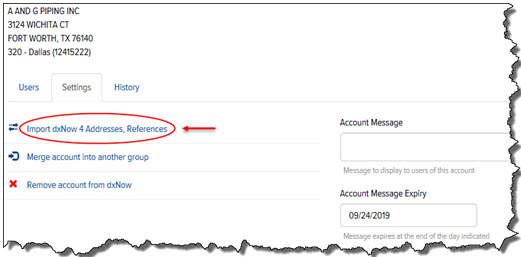
On the Account Details page, click the Settings tab.
Click the Import dxNow 4 Addresses, References link, as shown:
The Import from dxNow 4 page appears, as shown:
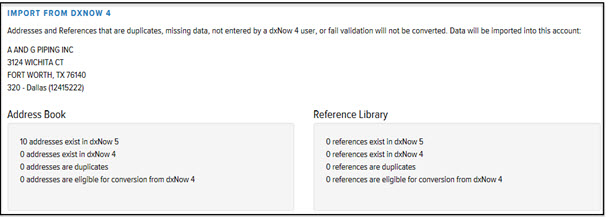
Note: Addresses that were not entered in the dxNow 4 application by a dxNow 4 User are not converted.
