On the Notices page, you can create a Notice to display to all Final Mile Track Users or to Users within a specific branch. The Notice is displayed on the Home page. It will expire at the end of the day defined in the Expires field.
To create a Notice:
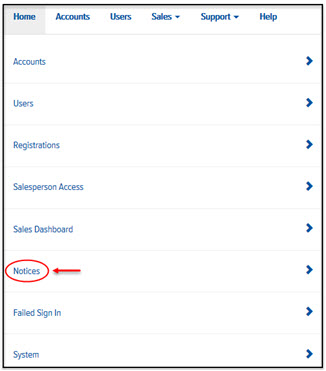
On the Home page, click the Notices link, as shown:
The Notices page appears and displays the Add tab, as shown:
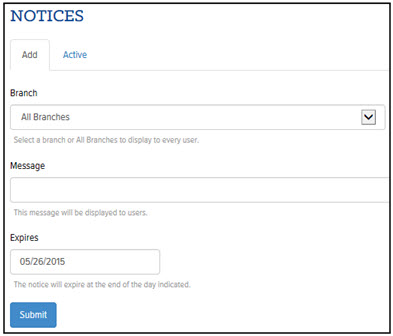
On the Add tab, in the Branch field, click the drop-down arrow and select a specific branch or select All Branches. Note: The Notice will display to all Users assigned to the selected branch.
In the Message field, enter a message.
In the Expires field, type a date that you want the Notice to expire. Use the format MM/DD/YYYY. Or, click in the field to display a calendar. Click the desired date that you want the Notice to expire. The Notice will expire at midnight on the selected date.
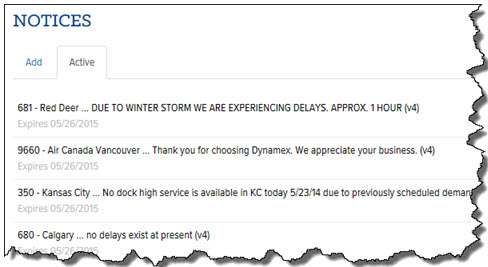
Click Submit. The Notice is displayed on the Active tab, as shown: