To search for a Registration:
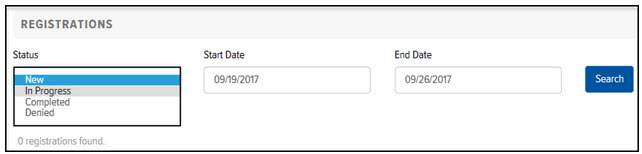
On the Registrations page, in the Status field, click the drop-down arrow and select one of the following options:
· New – The User has not completed the Registration process.
· In Progress – The Registration was sent to a Salesperson.
· Completed – The User has completed the Registration process. The Automatic Registration Completion feature automatically changes the status of “New” or “In Progress” Registrations to the “Completed” status. The feature performs this task once every two hours. If a User is created with the email address that is defined in the Registration, the Registration is considered “Completed.”
· Denied – The User completed the Registration process, but was denied registration.
Click in the Start Date field to display a calendar. Select the desired start date.
Click in the End Date field to display a calendar. Select the desired end date.
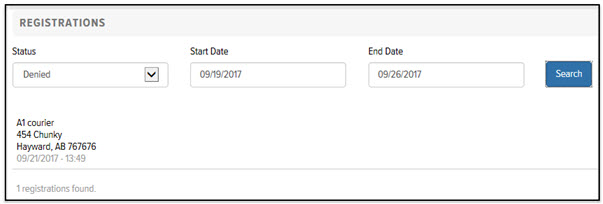
Click Search. The Registrations that match the filter criteria you defined display in the Registrations list, as shown: