On the
Registration Details
page, in the Assignment
section, click the  (Details)
icon to expand the options, as shown:
(Details)
icon to expand the options, as shown:
To send a Registration Notification to a Salesperson:
On the
Registration Details
page, in the Assignment
section, click the (Details)
icon to expand the options, as shown:
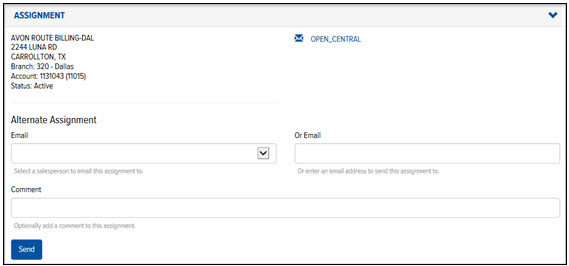
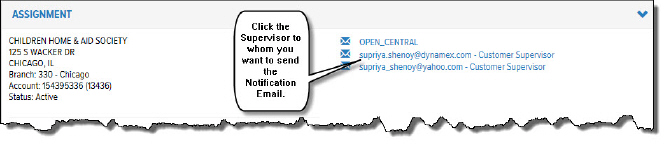
In the Email field, click the drop-down arrow and select the Salesperson to whom you want to send the assignment. Or, in the Or Email field, type an e-mail address. Or, click a Supervisor’s email address to send the assignment to a Supervisor, as shown:
(Optional) In the Comment field, type a comment about the assignment.
Click Send. After a Registration e-mail has been sent, the Registration's status automatically changes from 'New" to "In Progress."
