You can reset a User’s password. The User will receive an email that contains a temporary password that he/she can use to log in to Final Mile Track. After the User has logged in to Final Mile Track, he/she will be asked to change their password.
To reset a User’s password:
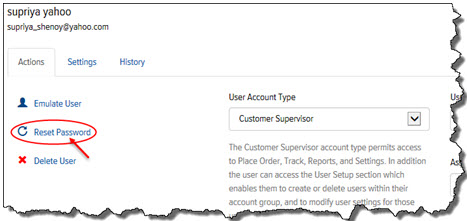
On the Users page, on the Actions tab, click Reset Password, as shown:
A confirmation window appears.
Click OK. The User will receive an email that contains a temporary password that he/she can use to log in to Final Mile Track. After the User has logged in to Final Mile Track, he/she will be asked to change their password.
