To remove a User from a specific account:
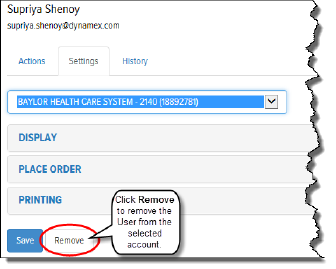
On the Users page, Settings tab, in the Account field, click the drop-down arrow and select the desired account.
Click Remove, as shown:
The User is removed from the selected account, but not from the Final Mile Track system. A confirmation window displays.
Click OK. The User is removed from the selected account.
