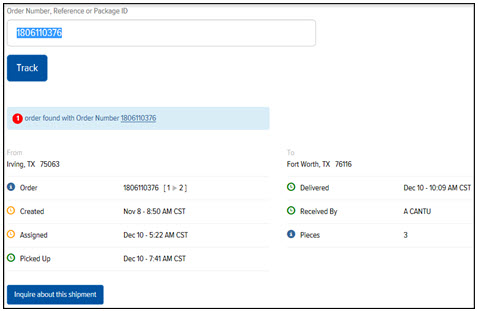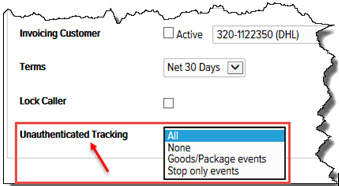
You can track a shipment without having to log in to the Final Mile Track application. You can track a shipment by Order Number, Reference, or Package ID. When searching for an order/package/reference, the system returns tracking results based on the option selected in DECS Administration > Customer Maintenance > Add/Edit Customer > Invoicing Options tab > Unauthenticated Tracking field, as shown:
To track a shipment without logging in to Final Mile Track:
In Final Mile Track, click Track, as shown:
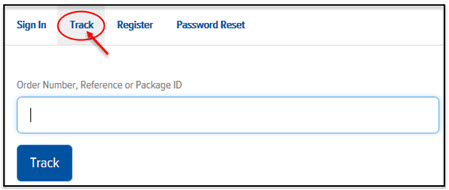
Enter an Order Number, Reference, or Package ID.
Note: This field is case-insensitive.
Click Track. The Tracking page appears, as shown: