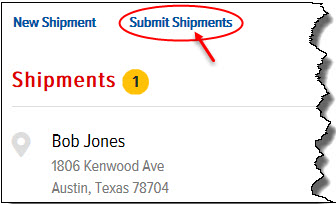
After you have added shipments, you must submit them to add them to existing routes.
Note: You cannot edit a shipment after you have submitted it. Routes are created based on the customer’s postal code/zip code setting in Route Assignment (DECS Administration > Main Menu > Distribution Menu > Route Assignment).
To submit all shipments:
On the Shipments page, click the Submit Shipments link, as shown:
The Submit Shipments window appears, as shown:
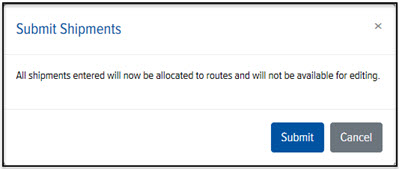
Click Submit. All shipments are allocated to existing routes.
