To add an Email Notification:
On the Saved Orders page, search for the order to which you want to add an Email Notification.
In the Saved Orders list, click the order. The Saved Orders Details page appears.
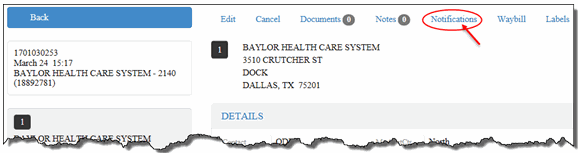
On the Saved Orders Details page, click the Notifications link, as shown:
The Email Notifications section appears, as shown:
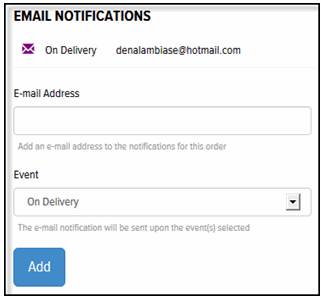
In the Email Address field, type the email address to which you want to send the Email Notification.
In the Event field, click the drop-down arrow and select On Delivery, When in Progress, When in Progress and On Delivery, Waybill/Bill of Lading. Note: If you select “Waybill/Bill of Lading,” a link to the waybill is included in the notification email.
Click Add. The new Email Notification displays in the Email Notifications list.
Repeat Steps 4 through 6 to add additional Email Notifications.
