To cancel a saved order:
On the Saved Orders page, search for the order that you want to cancel.
In the Saved Orders list, click the order. The Saved Orders Details page appears.
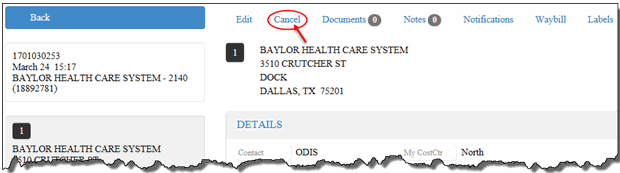
Click the Cancel link, as shown:
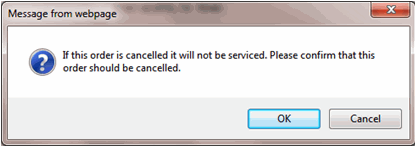
A confirmation window displays, as shown:
Click OK.
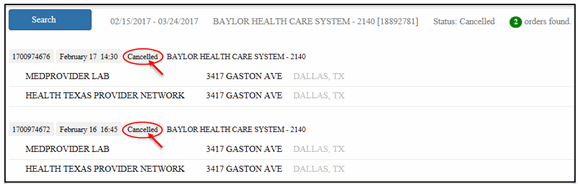
The saved order is removed from the Saved Orders list. On the Track Orders page, the order’s status displays “Cancelled,” as shown:
All stops within the order are cancelled. You cannot perform any actions on the cancelled order. Therefore, the action links (Edit, Cancel, Documents, Notes, etc.) no longer display on the Saved Order Details page.
