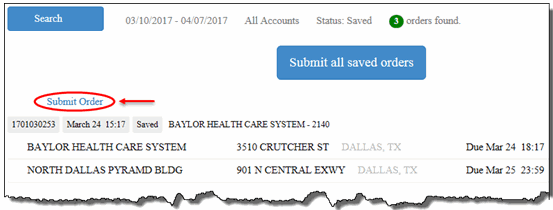
To submit a saved order:
On the Saved Orders page, search for the order that you want to submit.
Click the Submit Order link next to the order that you want to submit, as shown:
A Confirmation page displays, as shown:
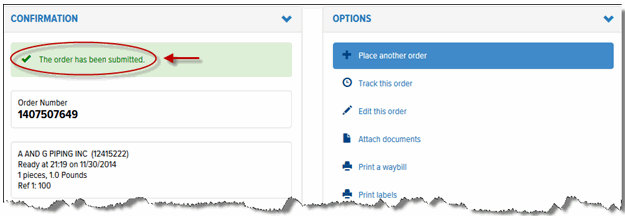
The order is removed from the Saved Orders list.
