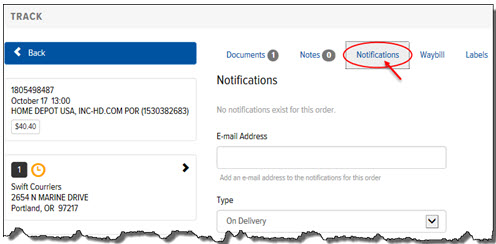
To add an Email Notification from the Order Details page:
On the Order Details page, click the Notifications link, as shown:
The Email Notifications section appears, as shown:
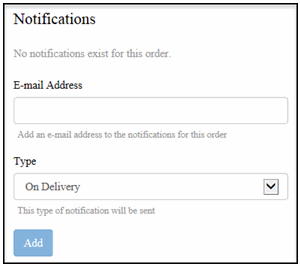
In the Email Address field, type the email addresses to which you want to send the Email Notification.
In the Type field, click the drop-down arrow and select On Delivery, When in Progress, When in Progress and On Delivery, Waybill/Bill of Lading. Note: If you select “Waybill/Bill of Lading,” a link to the waybill is included in the notification email.
Click Add. The new Email Notification displays in the Email Notifications list.
