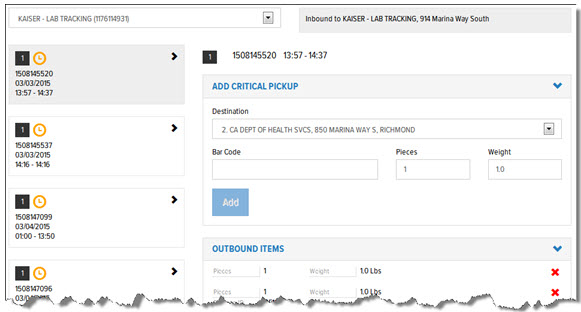
The Inbound Tracking feature allows you to add critical items to a stop on an order. This feature is typically used for lab and sweep runs. When an item is added to an order, the updates are automatically pushed to dxMobile. On dxMobile, the IC receives an audible alert and the phone vibrates. No visual alert displays.
Note: The Inbound Tracking feature is restricted to continuation and collection orders.
On the Inbound Tracking page, for the default pickup location (defined in User Setup > User Details > Place Order > Pickup Address field), a list of scheduled stops for that location displays. You can select the stop to which you want to add items that need to be picked up. You can then select a destination for the item from a list of stops on the order, and then define details for the item (barcode, pieces, weight). The item is added to the order, and sent to dxMobile. It is then available for an audited pickup scan when the IC arrives.
On the Inbound Tracking page, you can add and delete critical pickup items to/from a stop.