On the Track page, you can click an order’s summary amount to view charge details by rate type (for example: vehicle, segment, surcharge, etc.)
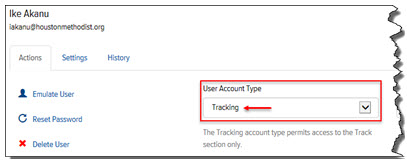
Note: The summary charge amount does not display for Users who have a “Tracking” or “Agent” Account Type, as shown:
To view charge details:
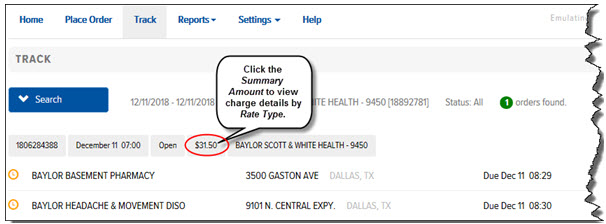
· On the Track page, locate the order whose charge details you want to view, and click the summary amount, as shown:
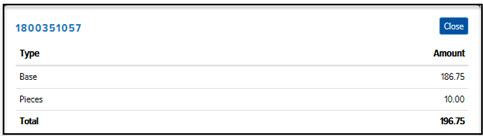
The charge details display by rate type, as shown: