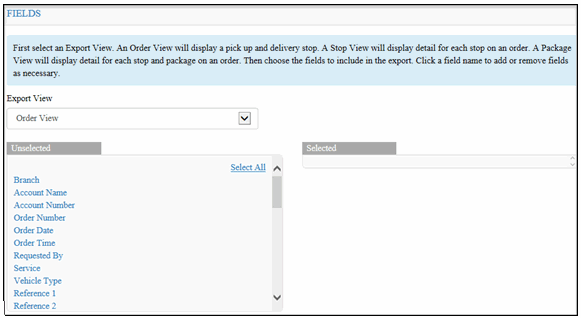
To select fields to include in the Download Order Data Report:
Click the Fields link. The Fields section displays, as shown below:
Note: To hide the Fields section, click the Fields link.
In the Export View field, click the drop-down arrow and select one of the following options:
· Order View – displays pickup and delivery stops
· Stop View – displays stop details
· Package View – displays stop details and package details
In the Unselected column, click the fields that you want to include in the report. Or, to select all of the fields, click the Select All link.
To un-select fields, in the Selected column, click the fields that you want to un-select. Or, click the Unselect All link.
Go to Define Filters.
