To search for an address:
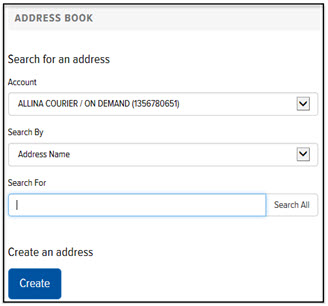
On the Home page, in the Menu section, click the Address Book link. Or, on the Final Mile Track Main Menu Bar, click Settings > Address Book. The Address Book page appears, as shown:
In the Search for an Address section, in the Account field, click the drop-down arrow and select the desired account.
In the Search By field, click the drop-down arrow and select a field by which to search (Address Name, Street Address, Reference, or Code).
In the Search For field, type the value for which you want to search. Note: Click the Search All link to display a list of all the addresses defined in the Address Book. Then, select the desired address in the list. A list of addresses that match the search criteria is displayed.
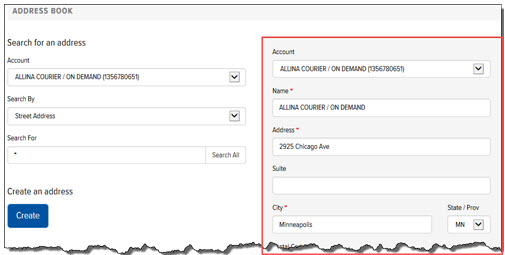
Click the desired address. The address is displayed in the Address section as shown: