To delete a User from Final Mile Track:
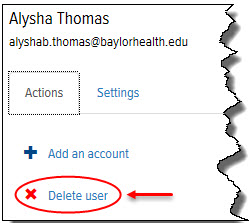
In the Final Mile Track application, on the User page > Actions tab, click the Delete User link, as shown:
A confirmation window appears.
Click OK. The User can no longer log in to the Final Mile Track application, and the User’s entire configuration is deleted.
