If you have forgotten your password, you can re-set it.
To re-set your password:
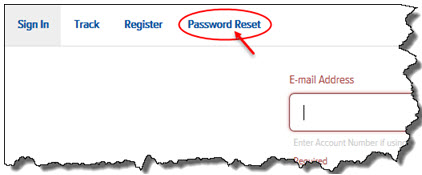
In Final Mile Track, click Password Reset, as shown:
The Password Reset page appears, as shown:
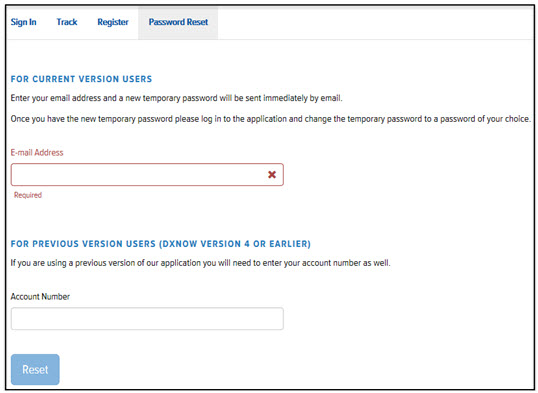
For Final Mile Track Users, in the E-mail Address field, enter your e-mail address. Then, go to step 4.
Or,
For dxNow Version 4 (or earlier) Users, in the Account Number field, enter your Account Number.
Click Reset. A temporary password is immediately sent to your e-mail address.
Log in to Final Mile Track using your new temporary password.
Change the temporary password to a password of your choice. See Change Your Password for instructions.