You can manually enter a shipment (stop/packages), and then add it to existing routes. The Shipments page allows you to manually add a shipment (stop information, stop references, packages), edit a shipment, and delete a shipment.
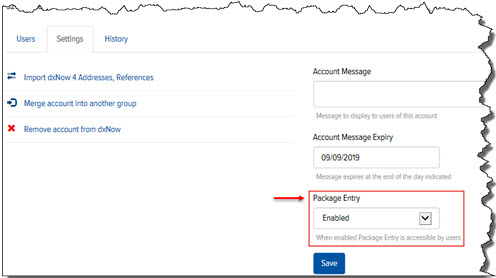
Note: To access the Shipments page, you must have the Package Entry field enabled in Final Mile Track Administration > Accounts > Account > Settings tab, as shown:
For more information about how an Administrator can enable this feature, see Enable the Package Entry Feature.
