When modifying a User’s settings, you can:
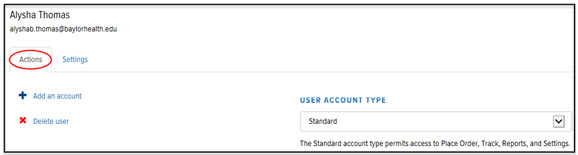
· Change a User's Account Type
To modify User settings:
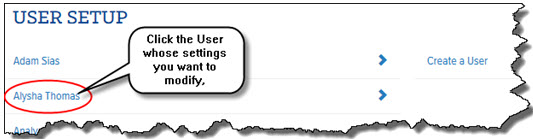
In the Final Mile Track application, on the Final Mile Track Main Menu Bar, click Settings > User Setup. The User Setup page appears.
Click the User whose settings you want to modify, as shown:
The User page > Actions tab displays, as shown: